

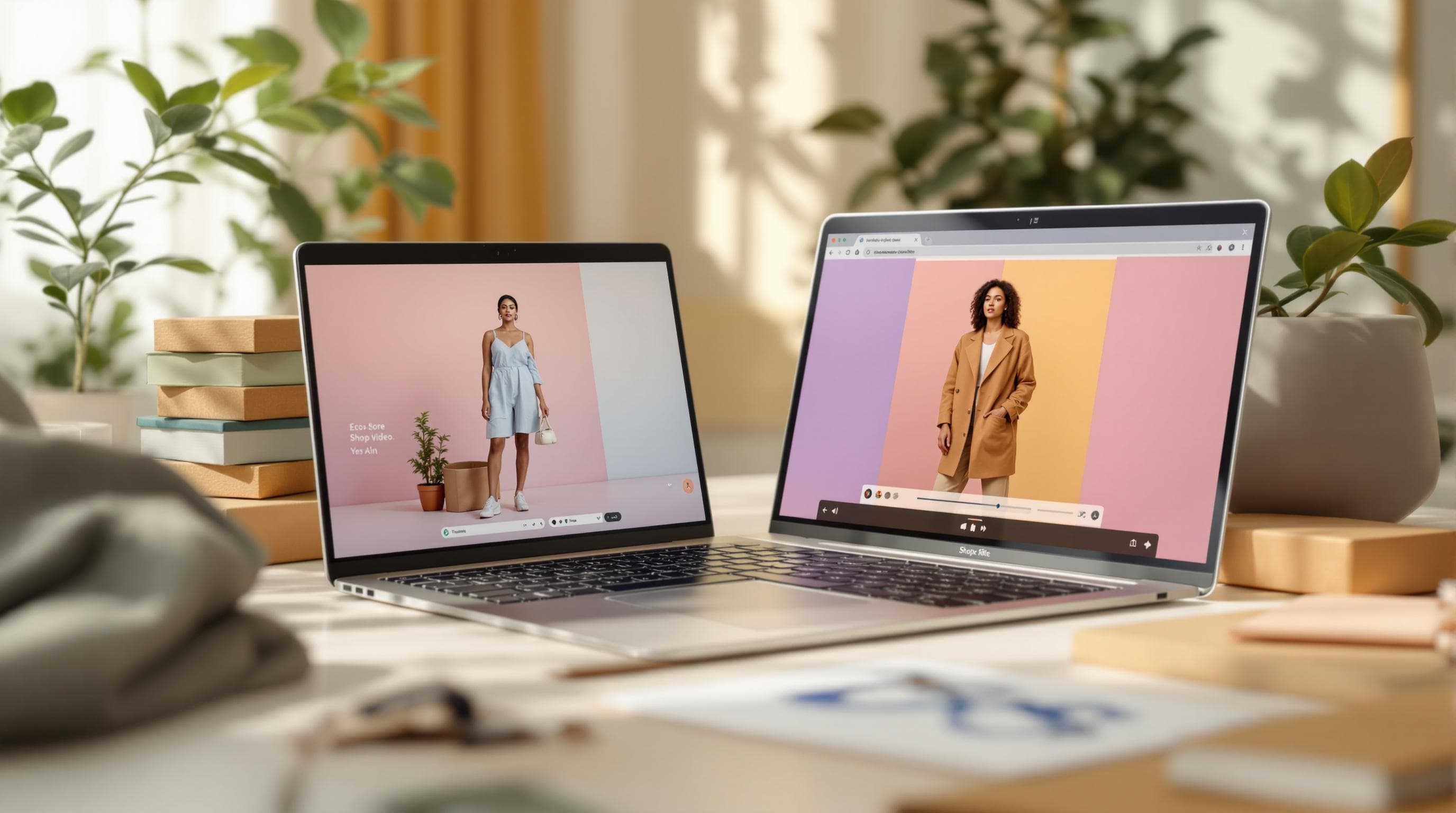
5-Second Product Staging Videos That Convert
Animated product staging videos grab attention in under 5 seconds. Learn how Shopify merchants use AI to create dynamic product animations — no avatar, no script, no production team.
5-Second Product Staging Videos That Convert
The average mobile shopper decides whether to engage with content in under 3 seconds. That means the most effective product videos aren't long, detailed walkthroughs — they're short, visually striking moments that stop the scroll. Product staging videos are built for exactly that. Here's what the data says:
Short-form video (under 10 seconds) is the fastest-growing content format in e-commerce, with 82% of all online content now being short-form.
Vertical video holds 40% more attention than horizontal or square formats on mobile devices.
Product pages with any form of video see up to 80% higher conversion rates compared to images alone.
Product staging videos take this to its simplest form: a 5-second animated clip that makes your product the hero. No avatar, no script, no voiceover — just your product in dynamic motion within an AI-generated scene.
Why Short-Form Product Videos Work
The shift toward shorter content isn't just a trend — it's a response to how people actually shop on mobile. Shopify stores with mobile traffic above 70% (which is most stores today) need content that loads instantly and communicates value before the shopper's thumb moves to the next thing.
A 5-second product staging video achieves something that a static image can't: it shows the product in context and motion. The human eye is wired to track movement, which means an animated product clip captures attention even in a crowded feed or a grid of static thumbnails.
This is especially powerful in two scenarios:
Discovery moments — when a shopper is browsing a collection page or homepage and hasn't committed to a specific product yet. Motion draws them in.
Social feeds — where autoplay video is the default and static images get scrolled past.
What Are Product Staging Videos?
Product staging is the simplest AI video format available in ReelTok's AI Studio. It takes a product image from your Shopify store and places it in an AI-generated scene with smooth animation. The result is a 5-second clip that showcases your product in a visually compelling context — like a lifestyle photo, but animated.
Unlike other AI video formats, standalone staging intentionally strips away everything except the product itself:
No avatar — the product is the only subject. This makes it feel less like an ad and more like editorial content.
No voiceover — the visual motion does the communicating. This means the video works on mute (where 85% of social video is consumed).
No script — nothing to write, review, or approve. Select your product, choose a scene, and generate.
Standalone Staging vs Other AI Video Formats
ReelTok's AI Studio offers four video formats, each designed for a different purpose. Here's how standalone staging compares:
Format | Length | Avatar | Voiceover | Best For |
|---|---|---|---|---|
15–30s | Yes | Yes | Social ads, product pitches | |
15–30s | No | Yes | Product pages, brand stories | |
5s | Yes | No | Product demos, sales content | |
Standalone Staging | 5s | No | No | Homepage hero, collections, social |
Standalone staging is the fastest format to create — fewest steps, no decisions about avatars or scripts — and the most versatile because it works on mute, in autoplay, and at any screen size.
How to Create a Product Staging Video
The creation process in ReelTok's AI Studio has just four steps:
Select product and image — choose any product from your Shopify catalog. Select or upload the product image that AI will animate.
Choose a scene — describe the environment or select from preset scenes. AI generates a background that complements your product (e.g., a marble countertop for jewelry, a kitchen setting for cookware).
Preview the animation — see how the product moves within the scene before finalizing.
Generate and publish — export the 5-second clip and publish it directly to your store as a shoppable video.
The entire process takes under 30 seconds — making it realistic to generate staging videos for your entire catalog, not just a handful of hero products.
Here's an example of an AI-generated product staging video:
Where 5-Second Videos Make the Biggest Impact
The beauty of standalone staging is that it's short enough to work anywhere you currently use a product image — as a direct upgrade from static to dynamic:
Homepage hero — replace a static banner with an animated product showcase. The motion immediately signals that this is a premium, active store.
Collection page grids — swap static thumbnails for animated staging clips. Time-on-page increases significantly when collection grids include video.
Social media snippets — the 5-second vertical format is natively optimized for Instagram Reels, TikTok, and Pinterest Video Pins. Works on mute by default.
Paid ads — use staging clips as quick-cut ad creative. The short format is ideal for top-of-funnel awareness campaigns where you need to capture attention before a skip.
Product detail pages — pair a staging clip with a longer B-roll video or avatar product video for a complete video experience on the product page.
Key Takeaways
Product staging videos are 5-second animated clips that put your product in an AI-generated scene — no avatar, no voiceover, no script.
The format is optimized for mobile-first shopping, where the first 3 seconds determine engagement.
Standalone staging is the fastest AI video format to create — under 30 seconds from product selection to published video.
Best used on homepage hero sections, collection grids, social feeds, and as ad creative.
Combine with the other three AI video formats for complete coverage across every customer touchpoint.
"We added Stories to our product pages and saw conversions jump within the first two weeks. Customers watch and buy — it feels native to the shopping experience." — Shopify Merchant [1]
Product staging videos are available on the ReelTok Growth plan. Try AI Studio to create your first video.
Related articles
More from Video Marketing
Top Shopify Apps for Personalized Video Recommendations
Unlock higher sales with personalized video recommendations that engage customers and drive conversions in your online store.

Social Video Analytics: Understanding Customer Behavior
Explore how social video analytics can enhance e-commerce strategies by understanding customer behavior, boosting engagement, and driving sales.

Ultimate Guide to Emotional Video Storytelling for Shopify
Learn how emotional video storytelling can significantly enhance your Shopify sales by connecting with customers and driving purchase decisions.